A couples app should earn its place beside the tools you already use. Before paying, name the jobs you want it to handle. Maybe your current notes are fine for groceries but poor at showing who owns the recurring work. Maybe you want date ideas, a place for small conversations, or a weekly moment to look ahead together. Those are different requirements.
This is a category-level buying checklist written by a company that makes a couples app. It is not an independent ranking, and it does not claim that one product is best for every couple. Use it to compare what is actually available, including the possibility that the simplest tool you already have is enough.
Start with the job, not the feature count
Write three recent situations you want to make easier. Be specific: “we keep buying groceries twice,” “one person reminds the other about every chore,” or “we have date ideas but never choose one.” Then identify what would count as a useful improvement. A shared list might address the first situation. Whole-responsibility ownership may matter for the second. Private preferences and a next planning step could help with the third.
Do not turn every appealing feature into a requirement. A longer feature list can mean more setup and another place to maintain information. Ask which functions you would realistically use in the coming week. If neither partner wants to maintain a detailed system, the product's most impressive dashboard may be irrelevant to your actual household.
Separate a task, a list, a calendar event, and a conversation topic. They may look similar on a screen but behave differently. A grocery item needs checking off. A difficult topic may need a private draft before sharing. Check whether the tool understands the distinction you need.
Check how responsibility works
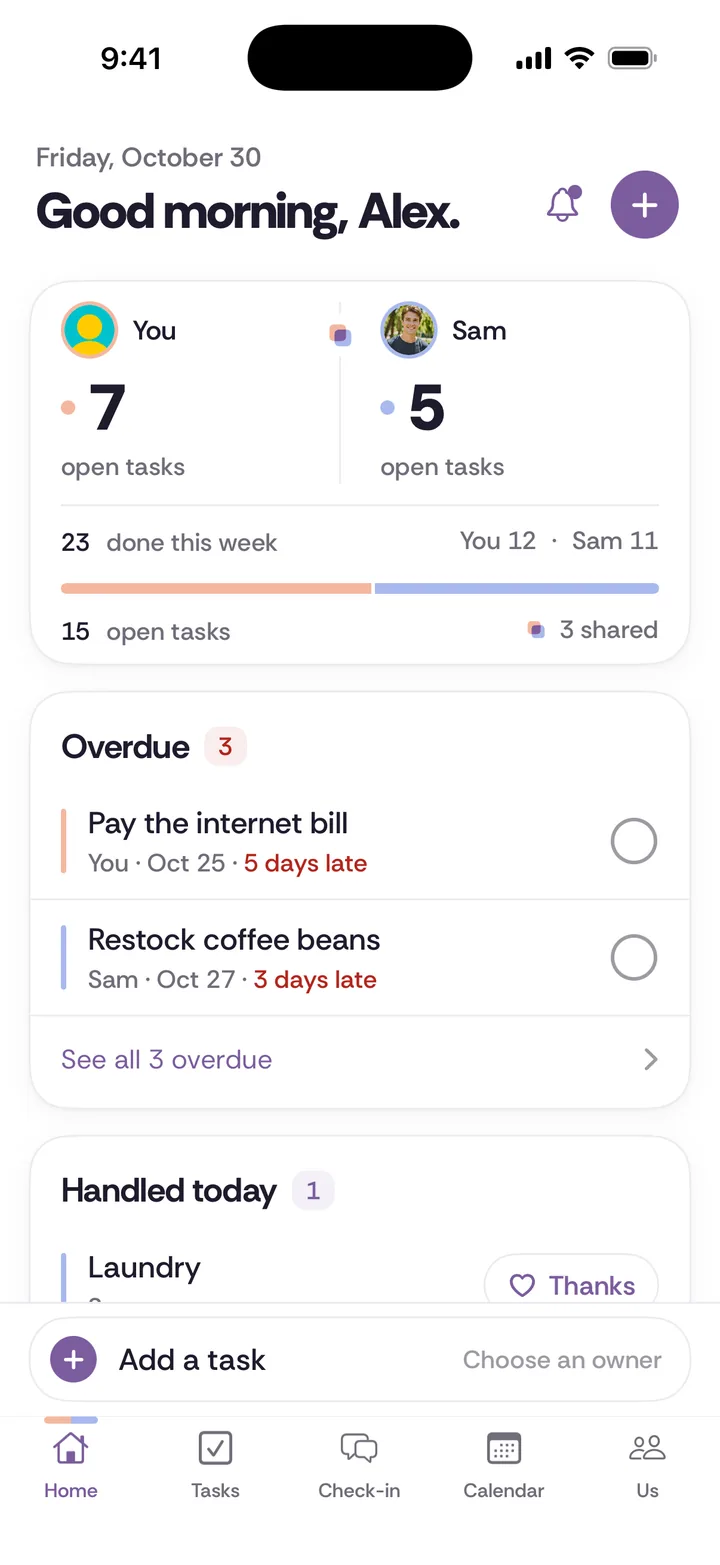
For chores, ask whether the app only records tasks or can also hold recurring ownership. Can you name one owner? Can you describe what done means? What happens when a responsibility needs to move? A tool that lets one person assign work without any conversation may be convenient and still leave the household's central disagreement untouched.
Look for enough detail to reduce follow-up questions: notes, due dates, recurrence where useful, and a clear completion state. Then ask whether the design encourages appreciation or competition. Some people enjoy points in other contexts. That does not mean you want household effort represented as a contest between partners. Choose the behavior you actually want to invite into your home.
Use the complete chore guide to define one real responsibility before testing a tool. Enter that example rather than creating twenty fictional tasks. You will learn more from trying a Tuesday dinner arrangement than from admiring an empty system with excellent colors.
Read the sharing rules before entering private details
Ask what your partner can see, when they can see it, and whether the rule changes after an action. Does a draft stay private until you share it? Do check-in answers reveal immediately or after both people respond? Can a no vote remain private? “Private” should have a clear object and a clear boundary, not merely a reassuring place on a marketing page.
Read the privacy policy as well as the interface labels. Privacy from a partner is different from how a company stores or processes information. Check where sensitive data goes, which third parties process it, and how account deletion and export work. An unlocked device can expose content regardless of how the app separates records internally.
Do not treat tracking or continuous access as a requirement for closeness. A planning tool should not need your partner's whereabouts to help with groceries. If an app's main benefit depends on monitoring another person, ask whether that matches the kind of shared space you want. Choose with both people's consent and comfort in mind.
Verify platforms and integrations in the product itself
Check whether the product is a browser app, a native mobile app, or both. A web app that works on a phone is not the same as a native app available from a store. Home-screen installation does not automatically imply push notifications, widgets, offline access, or device calendar sync. Verify each capability separately if it is essential to your plans.
For calendars, ask exactly what is shared. Key dates such as birthdays differ from a full event calendar. A link you open manually differs from two-way synchronization. If you already rely on a calendar for appointments, confirm whether the couples tool can work alongside it without making you maintain the same plan twice.
Compare the shared calendar category and the shared notes category for practical tradeoffs. The right combination may include a specialist calendar and a separate place for household responsibilities. You do not need one product to replace everything to get value from it.
Read the price as a household commitment
Check whether the displayed price covers one person or both partners, whether it is billed monthly or annually, and when payment begins. A monthly equivalent on an annual plan is not a month-to-month payment. Read the actual checkout before confirming a purchase and check the payment method and renewal terms.
Ask whether both billing options include the same features and where cancellation happens. Review what occurs if one partner leaves the shared space or deletes an account. Subscription management and data deletion may be separate actions. Save the relevant instructions somewhere you can find them without relying on memory when you need to cancel.
Avoid choosing by an invented calculation of what your relationship is worth. You are buying a tool. It should fit your household budget and perform a job you care about. A tool can be useful without being necessary, and deciding against a subscription is not a statement about how much you value your partner.
Run a small test with both people
Pick one responsibility, one shared list, and one conversation or date plan. Ask both partners to use their own accounts and see what the other person experiences. Can each person find the item without a demonstration? Do the sharing rules make sense at the moment of action? Does one person end up maintaining everything while the other only responds to reminders?
After the first week, ask what changed in your ordinary week. Keep the answer concrete: fewer duplicate purchases, a clearer handoff, or a plan you actually made. Do not infer long-term relationship outcomes from a few pleasant screens. A product demonstration can show a workflow. It cannot prove what that workflow will mean for your life.
If paper fits better, the printable worksheets are a legitimate option. If a spreadsheet suits the job, compare its strengths on the spreadsheet page. Choose the smallest arrangement both people will use, then revisit it when your needs change.
Try it in Tiptoe
Tiptoe offers shared tasks, chores, lists, a shared calendar, and a weekly check-in, and it works on iPhone and the web, but it does not include bank linking. Review the features and current pricing, try the public demo, and decide whether those specific workflows fit your three real situations. The checklist should help you choose, including when your answer is to keep the system you already have.