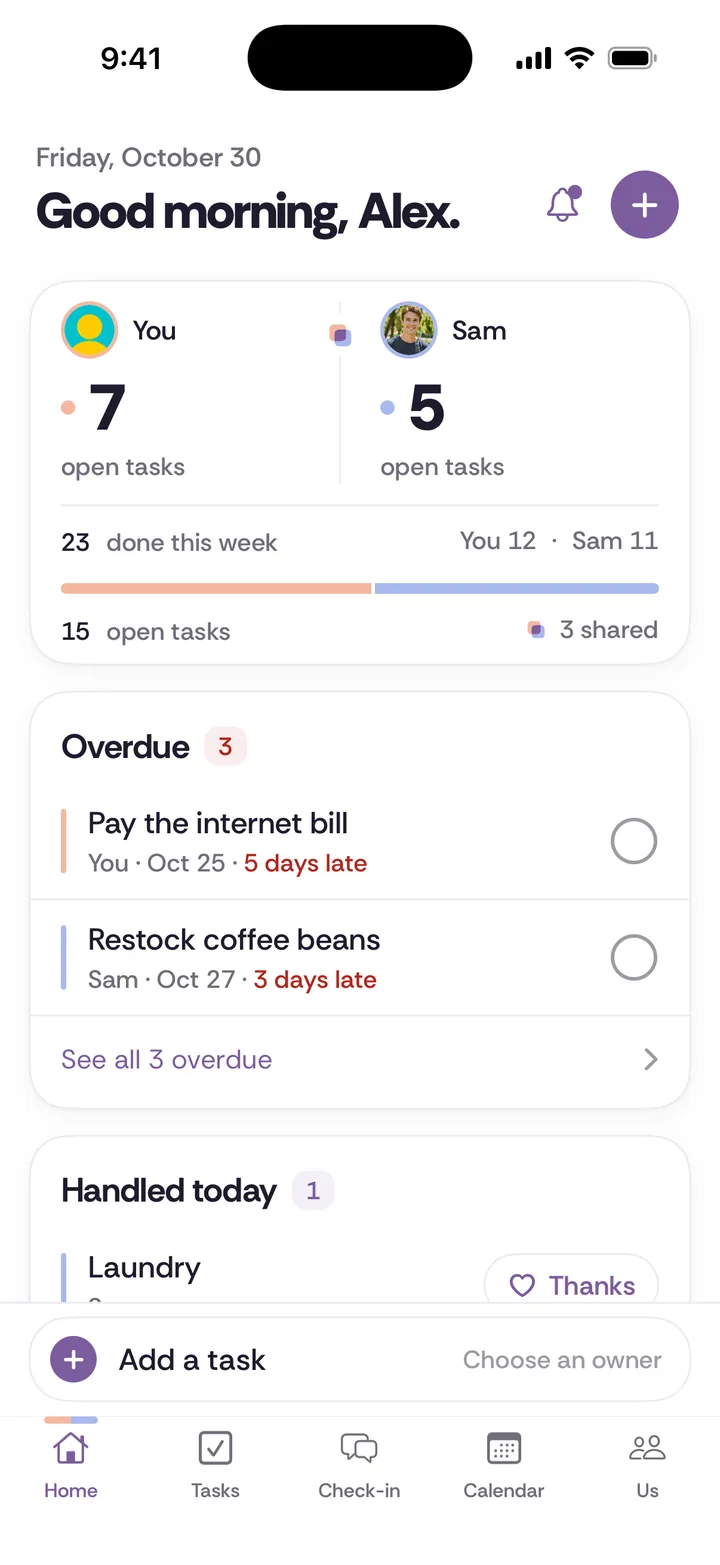
Disclosure: Tiptoe makes this page. We have tried to be accurate about what Todoist does better, and for many couples it is the right pick.
Todoist works well for couples: you share a project, assign each task to one person, and both of you get it on almost any device, and the free plan covers all of that. Choose Todoist if either of you is on Android, if you want one app for work and home, or if you like building your own system. Choose a couples app such as Tiptoe if you want repeating chores with one owner and a weekly check-in already set up, and you both use iPhone or the web. People also search this as "Todoist with my husband" or "Todoist with my girlfriend," and the answer is the same for any pair.
All Todoist facts below come from its own site or App Store page, as of November 2026.
How do couples set up Todoist?
Todoist calls this a shared personal project. Its help article on working with friends or family gives these steps on the web.
Step 1. Create a project called something plain, like "Home."
Step 2. Open the project and click Share at the top right.
Step 3. Enter your partner's name or email and click Invite. If they have no Todoist account, they get an email with the option to sign up for a free one. On mobile, open the project, tap the add-person icon, and choose Invite via name or email.
Step 4. Add a task. To assign it as you create it, type a task name followed by a + and pick the person. For an existing task, click the assignee icon beside the task name.
Two details are worth knowing up front. Sharing a parent project does not share its sub-projects, so you invite your partner to each one. And in a shared personal project, every member has the same rights, including adding and removing people, so there is no "owner's view" of the list.
What does Todoist do better than Tiptoe?
It does several things better, and these are real reasons to choose it.
- It runs nearly everywhere. Mac, Windows, Linux, iPhone, iPad, Android, Apple Watch and Wear OS, plus a browser. Tiptoe has an iPhone app and a web app, and no Android app.
- Its free plan is limited differently. The limits the pricing page lists for Beginner are about projects and people: 5 personal projects, 5 people per project, 3 custom filters. Tiptoe's free plan stops at the couple's first 30 tasks and chores combined, and deleted items still count.
- It can hold your whole life. Personal work, side projects and home can sit in one place. Tiptoe is built for the two of you, not for work projects.
- Typed repeating dates are quick and flexible. Todoist reads dates in plain words and can schedule the next date either from the planned date or from the day you finish. Its help article shows the exact wording for each. The second option suits chores like cleaning the fridge, where the clock should restart whenever it gets done.
- It connects to other tools. The pricing page mentions 90+ integrations, and it has custom filters and reporting history.
If one partner already runs their life in Todoist, the simplest good answer is usually a single shared project in the app they already open every day.
What is harder about Todoist for a couple?
Nothing here is a flaw. Todoist is built for general task management, so a few things a couple might want take a little setup.
- Assignment is one person per task. Todoist's help article suggests sub-tasks or duplicating a task when more than one person is involved. That is fine for "you do the car, I do the insurance." It is awkward for "we both need to go to the school meeting."
- The calendar layout is a paid feature. The pricing page lists calendar layout, deadlines and custom reminders under Pro and Business. Task reminders are on the free plan.
- There is no couple price. Pro is $5 a month billed yearly or $7 month to month, and the page lists no family or couple plan. If you both want Pro, that is $10 a month billed yearly or $14 month to month. The App Store listing shows Pro at $6.99 a month or $59.99 a year.
- A check-in is yours to build. Todoist is a list, so a weekly conversation would be a repeating task you add yourself. That works, and "Check-in, Sunday 7pm" costs nothing.
How do Todoist and Tiptoe compare on the things couples care about?
Price for two. Todoist: free, or $10 a month on yearly billing for two Pro accounts. Tiptoe: free for both partners for the first 30 tasks and chores, then Pro at $9.99 a month, with one subscription covering both of you. If you only need the free plans, Todoist will last longer. If you would both pay, the monthly cost is about the same.
Platforms. Todoist runs on nearly everything. Tiptoe is iPhone and web only.
Who owns an item. In Todoist, one assignee. In Tiptoe, each task goes to You, your partner, or Together.
Repeating chores. In Todoist, any task can repeat and can have an assignee, and how you use that is up to you. In Tiptoe, chores are their own type: they repeat on a schedule, have one owner, and change hands through a proposed handoff.
Credit. Todoist shows who has a task. In Tiptoe, a completed item counts for the person it was assigned to, and you can send a thank-you. Neither is a fair-share verdict, and nor should it be.
Reminding each other. In Todoist, you can tag your partner in a comment, and they get a notification. In Tiptoe, you can nudge your partner about an overdue item.
Talking about it. Todoist has comments. Tiptoe has a weekly check-in at a time you choose, where either partner can add topics and decisions become owned tasks.
Calendar. Todoist has a calendar layout on Pro. Tiptoe has a shared calendar on the free plan, and a feed for Apple or Google Calendar on Pro.
Why does it matter whose name is on a repeating task?
Most couples' lists fail in the same way. One person adds things and the other completes them, so the adder stays in charge of the whole system without ever deciding to be.
Every chore has four jobs: notice, plan, do, and follow up. Take the dishwasher tablets. Someone notices they are running low, plans the order, does the buying, and follows up by checking they arrived. If your Todoist task says "Buy dishwasher tablets, assigned to Sam," then Sam got the third job, and whoever typed it already did the first two. That is the mental load in one line.
You can fix this in Todoist, and it takes one sentence of agreement rather than a feature. Create the task once as a repeating item called "Dishwasher tablets never run out," assign it to one person, and agree that person watches the stock, buys them and checks. Nobody else adds a new task about tablets. This is what whole-job ownership means, as opposed to helping, and our guide to the four jobs in every chore has more examples.
A Todoist setup that works for two people
If you choose Todoist, this setup avoids the most common trap, which is one giant shared project nobody wants to open.
- One shared project called Home. Your work and personal projects stay in your own account and out of it.
- Three groups of tasks inside it: Repeating, This week, and Someday.
- Name the outcome instead of the action. "Bathroom stays clean" rather than "Clean bathroom."
- Every repeating item has one person on it. If you do something together, duplicate it, as Todoist suggests, or take turns month by month.
- Count from the day it was done for chores that depend on the last time. Cleaning the bathroom is a good example, and Todoist's recurring dates article shows the wording.
- Add one repeating task for a weekly talk. Keep it to ten minutes, and use the check-in format if you want a structure.
If you are deciding what goes where, the free chore split calculator gives you a rough weekly hours picture, and it runs in your browser.
What does a real week look like in each app?
Take a couple with two jobs and a dog. The dog needs a vet visit, the car needs a service, and the bins go out on Thursday.
In Todoist, one person owns "Dog is healthy and up to date," with a repeating date, and they add the vet visit as a sub-task. "Bins out" repeats every Thursday with one name on it. If you have the free plan, you see these in your list views rather than a calendar layout. In Tiptoe, "Bins out" is a chore with an owner and a schedule, the vet visit is a dated task that shows on the shared calendar, and the car service might come out of your weekly check-in as a decision with an owner. Neither way is more correct. Todoist gives you more control over how it is arranged, and Tiptoe makes more of those decisions for you.
What should you say to your partner about trying it?
Bringing up a new app can sound like a complaint, so say the real thing first.
"I've been keeping a lot of the house in my head, and I'd like to get it out. Could we try one shared project for two weeks with five things on it, and you pick which ones you want to fully own?"
If you are the partner being asked:
"I'd rather own three things completely than help with ten. Tell me what the job includes, then please leave it with me, even if I do it differently."
That second line matters because it names the deal: the owner gets to do the job their way, within what you both agreed done means. There is more on bringing up something small before it gets large.
When should you pick Todoist, and when Tiptoe?
Pick Todoist if:
- Either of you uses Android.
- One of you already lives in Todoist.
- You want a single app for work and home.
- You like setting up your own system with filters.
- You want to stay free well past 30 items.
Pick Tiptoe if:
- You both use iPhone or are fine with web.
- You want chores with one owner and proposed handoffs already built in.
- You want tasks, calendar and a weekly check-in in the same place.
- You are comfortable with $9.99 a month once your first 30 items are used, or you want to see it first through the no-account demo.
And if you would rather not add any app, a sheet of paper can do the same job: write the repeating items, one name each, and look at it together on Sunday. Our chore split worksheet is free to print. You can also read the full roundup of shared to-do apps if neither of these feels right.
No app will decide what is fair between you. It can remember what you agreed, and that part is useful enough.