A shared to-do list for couples works when every repeating item has one owner, private things stay private, and nobody has to manage the other person. That makes it quite different from a team's list, because no one is the boss and the work never ships. This guide covers how to set one up in any app or on paper, and how to compare the options.
What makes a shared to-do list work for a couple?
One name on each repeating job, with that person owning all of it: noticing, planning, doing and following up. Add a clear idea of what done means, a place for private items outside the shared list, and ten minutes a week to look at it together. The app matters less than the agreement, and a sheet of paper can do the job.
Why is a couple's list different from a team's list?
Team task apps assume a few things that are not true at home. A team has a manager or a project lead. It has a goal with an end date, and people are paid to be there. At home, nobody is in charge of anybody, the work comes back every week, and the person you are assigning a task to is someone you also want to have dinner with.
That changes what a good list does. On a team, an assignment is an instruction that is usually welcome. At home, the same assignment can land as being told what to do. A list that one partner fills in and the other works through can feel efficient to the first and like a job to the second, and it can leave both of them unhappy. So a couple's list has to answer a question most team tools skip: who decided this is on the list, and whose job is it to keep it going?
Many apps can still do this well, and the right one depends on your phones and your budget. We compared them in the best shared to-do list apps for couples, including what each one costs for two people. If you already use a general app, see Todoist for couples or Any.do for couples, which also compare them with Tiptoe. If you want to keep your money, see what is really free for two.
Why does each item need one owner?
Every chore has four jobs: notice, plan, do, and follow up. Take the dishwasher tablets. Someone notices they are running low, plans the order, does the buying and checks that they arrived. A task that reads "Buy tablets, assigned to you" hands over one job out of four, and the person who wrote it has already done the first two. That is how the mental load survives even in couples with a very tidy list.
Ownership fixes this by moving the whole job. Write the item as an outcome, such as "Dishwasher tablets never run out," and put one name on it. That person watches the stock, buys them and checks. The other person may mention it once if they see the box is empty, and then leaves it. This is the difference between owning and helping, and our guide to the four jobs in every chore has more examples.
Keep shared items for what you actually do side by side, like hosting a dinner or the big annual tax session. "Both of us" is often the same as neither of you, so if you find many of your items say both, pick a name and rotate it monthly. A complete chore split can help you get every job onto the page. The free chore split calculator gives a rough picture of hours.
What should stay private?
A team's work is meant to be visible. A couple's life is not all shared. Gift ideas, a surprise weekend, a medical appointment you want to think about first, money for your own hobby and a note to talk to a friend all belong to one person until they choose to share them. If a shared list is the only list you have, those things either go missing or get exposed.
The simplest rule is two places: one shared list for what affects both of you, and one private place for everything else. That can be separate lists, as in Any.do's Family plan, which gives each person a private space, or a notes app of your own. In Tiptoe, private and shared records are kept separate, and profiles can hold private gift ideas. On paper, it is the sheet on the fridge and the notebook in your bag.
Calendars work in the same way. You can share one calendar without sharing all of them, as we explain for iPhone calendars and Google Calendar. If a partner insists on seeing your list or calendar to keep track of you, or you are afraid to say no, that is not an organizing problem, and our safety page has support resources.
How should repeating chores work?
Most team tasks finish. Most household tasks come back, and they should be the main thing on your list. Bins, bills, laundry, the car, the dentist and the dishwasher account for much of the work, and adding them over and over is the kind of invisible job that a list is supposed to remove. Set them up once, with a schedule and one owner, and then leave them alone.
Two free tools do this if your phones match. Apple Reminders has assigning and repeats on two iPhones. Google Keep is a good shared grocery list on any phone, although it has no owners, so it suits groceries better than chores. If your household is mostly managing kids' schedules and meals, a family organizer may fit better, and we cover those in Cozi alternatives. If the calendar is really your main problem, see Cupla alternatives.
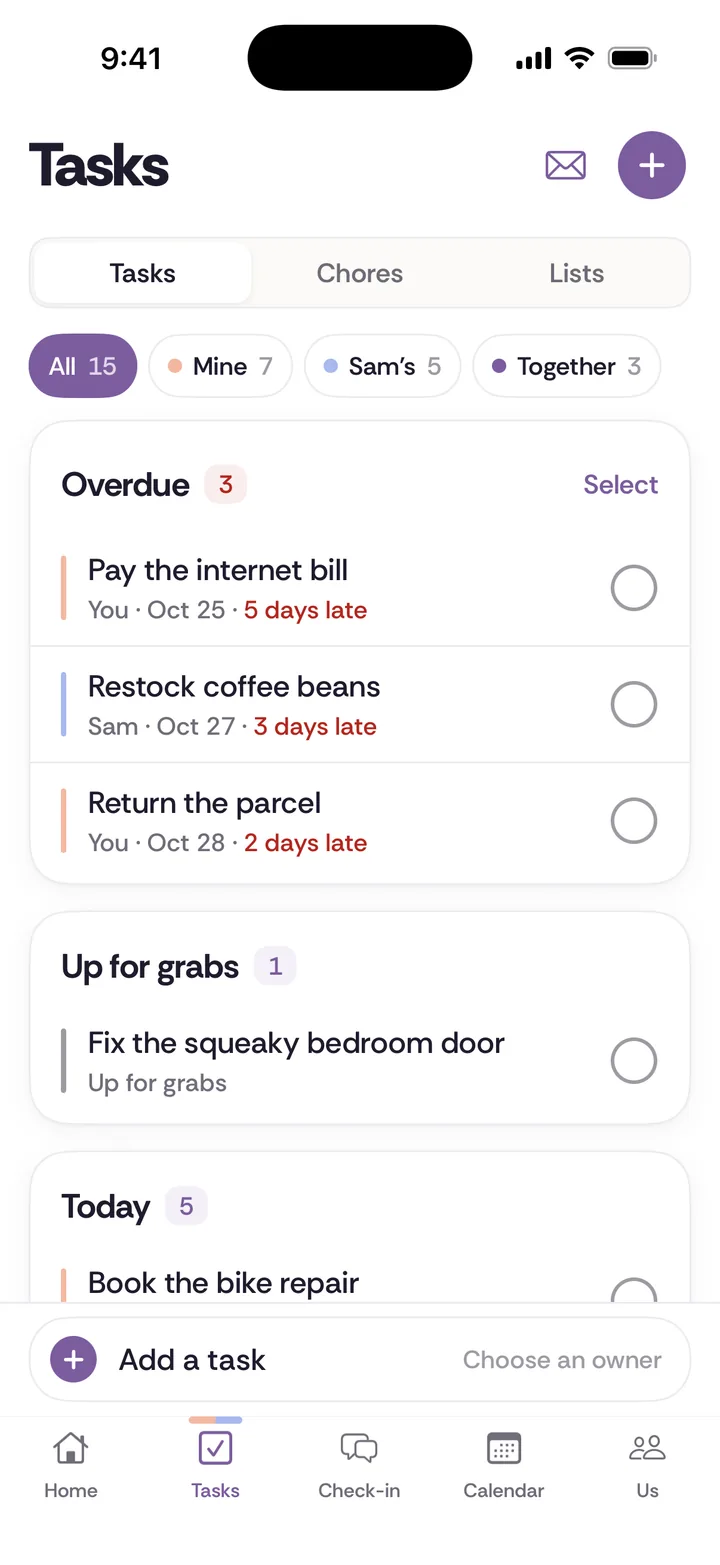
Repeating chores also need a way to change hands, because life changes. A new job, an illness or a baby can make last month's split wrong. Treat a handoff as a proposal for the two of you to agree on, and do not just move the item to the other person's name. Tiptoe's chores work like this, with one owner and proposed handoffs, and any list can do the same if you agree that the owner gets asked first.
Who gets the credit?
Some couple apps turn chores into points, and that can backfire. Points invite a debate about what the bins are worth compared to a school form, and they reward whoever logs the most. A list should make it easier to see what was agreed. It should not become a scoreboard, and it cannot tell you whether a split is fair.
A cleaner rule is credit by assignment. A completed item counts for the person it was assigned to, even if the other person covered it once while they were away, and you sort out the exceptions by saying thank you. In Tiptoe, a completed item counts this way, and you can send a thank-you. In any other app or on paper, you can simply agree on it. If you want to talk about whether the split is fair, use a conversation for that, and our guide on what to do when one partner does more can help.
This is also the idea behind Eve Rodsky's system. She says Fair Play is focused on fairness, not tit-for-tat scorekeeping, and it centers on full ownership of each card. Tiptoe is not affiliated with it, but we explain it in the Fair Play method and how to run it with an app or paper.
How do you get your partner to use it?
Do not start by sending an invite. A list that arrives with no conversation can read as a list of orders, so say the real thing first. Try this: "I've been keeping too much of the house in my head, and I'd like to stop. Could we try one shared list for two weeks with five things on it? You pick yours first." That is what we mean by saying the thing instead of tiptoeing around it. Our guide to bringing up something small has more wording.
Then make it easy. Use the app they already open, or a sheet on the fridge if they would rather have no app at all. Let them choose their items, since a job you chose is yours in a way a job you were handed is not. Keep the first version very small. And once an item is theirs, stop checking it, even if they do it differently. If you need help with that last step, see how to stop nagging.
Finally, give it a regular moment. Ten minutes a week, with the list in front of you, does more than any notification. Ask what worked, what slipped and what should change. Our weekly check-in has a simple format. If you want tasks, chores, a calendar and that check-in in one place, Tiptoe does that on iPhone and web, free for both of you for your first 30 tasks and chores. And if you would rather stay on paper, our chore split worksheet is free to print. A list can remember what you agreed, and the agreeing is still up to the two of you.
Start one this week
- Choose four or five jobs that keep coming back, like bins, bills, groceries and the car, and write each as an outcome.
- Take turns choosing which ones you will own completely, so that each item has one name on it.
- Say what done means for each in one sentence, then agree to leave it with the owner.
- Look at the list together for ten minutes once a week, and change whatever is not working.
One useful rule
Make the next step clear enough that either person can explain it.
Keep the system kind and current
A planning tool can hold an agreement, but it cannot make the first agreement fair or permanent. Both partners need a real say, a way to raise a problem, and permission to change the plan when work, health, or capacity changes.
Questions couples ask
- What is the best shared to-do list app for couples?
- It depends on your phones and what you need. Apple Reminders is free on two iPhones, Microsoft To Do and Todoist's free plan work across iPhone and Android, Cupla and Cozi add calendars, and Tiptoe adds chores and a weekly check-in. See our [full comparison](/guides/best-shared-to-do-list-apps-for-couples/).
- How do I get my husband or wife to use a shared to-do list?
- Start with a conversation, not an invite. Ask for a two-week test with about five items, let them choose theirs first, and use whatever they already open. Once something is theirs, leave it with them.
- Should a couple have one shared list or several?
- Start with one shared list for what affects both of you, one grocery list, and a private place for each of you. Add more only when one list gets too long to read in a minute.
- Can my boyfriend or girlfriend and I keep some things private on a shared list?
- Keep them out of the shared list. Use a private list, a personal notes app or a notebook for gifts, surprises and anything you are not ready to discuss. Some apps also separate private spaces from shared ones.
- Do we need an app, or will paper work?
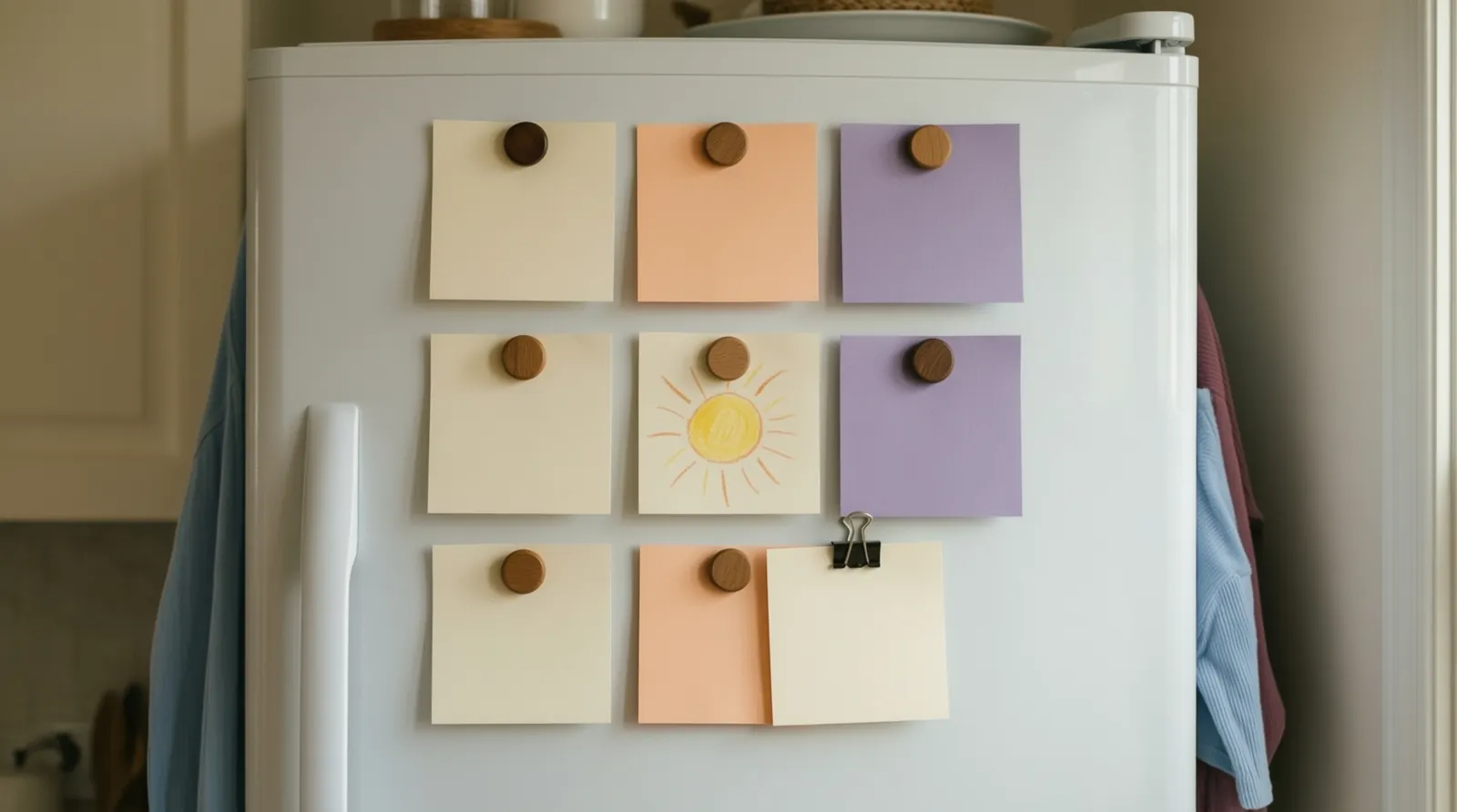
- Paper works. One sheet on the fridge, with one name per job, and a weekly look at it covers the same ground. An app adds reminders and access from anywhere, and it does not replace the agreement.
- How is a shared list different from a chore chart?
- A chore chart usually tracks whether something was done, often with points. A shared list with owners tracks who holds each job, including the noticing and planning, so that nobody has to supervise or keep score.