Disclosure: Tiptoe makes this page, and Tiptoe is one of the apps below. We list where our own free plan ends, in the same way as everyone else's.
The best free apps for couples are the ones that stay free with two people using them: Apple Reminders or Google Keep for lists, Google Calendar or iCloud for a shared calendar, Honeydue for money, and Gottman Card Decks for conversation. Many other couples apps are free to download, but they limit what your partner can see, show ads, or stop at a set number of items. That holds whether you are setting up with a husband, wife, boyfriend or girlfriend, and none of these need a payment to start.
All facts about other apps below were checked on each company's own site or App Store page, as of November 2026. Free plans change often, so check before you rely on one.
What does "free for two" really mean?
Before picking an app, ask four questions. Most roundups stop at "free to download," and that does not tell you much.
- Can you share on the free plan? Some free plans are single-person. Any.do's free plan, for instance, includes your Personal Space only, according to its help center.
- Does your partner have to pay too? Some subscriptions cover the couple, some do not. Check before either of you upgrades.
- What is limited: time, count or features? A limit on how far ahead you can see is different from a limit on the number of tasks.
- Are there ads? Free with ads is still free, and you should know before you commit.
We sorted the apps below by how free they really are.
Which apps are fully free for two?
These have no paid tier you would need for the features described.
Apple Reminders. Shared lists, assigning, repeating items and a grocery list type, all through iCloud, on the devices you already own. You both need an Apple Account. It is the obvious start for two iPhones. See Apple Reminders for couples.
Apple iCloud calendars. Share a calendar and allow your partner to edit it, directly in the Calendar app. See how to share an iPhone calendar.
Microsoft To Do. Free by Microsoft's own description, with shared lists and assigning to list members. You both need a Microsoft account. It's one of the few fully free options that has real assigning for a mixed-phone couple.
Google Keep. Listed as free, with sharing on iPhone, Android and computer. There is no assigning, but it makes a good grocery list. See Google Keep for couples.
Google Calendar. Listed as free, with paid extras only for Google storage and some Workspace features. It has five sharing permission levels. See how to share a Google Calendar with a spouse.
Gottman Card Decks. The Gottman Institute calls it a free relationship app, with more than 1,000 flashcards of questions and ideas. It has iPhone and Android links there, and the App Store lists it as free. It's a good choice for a slow evening, though it does nothing for logistics.
Honeydue. Honeydue describes itself as a free mobile app for couples managing money, on iPhone and Android, with bill reminders and chat about transactions. Each partner chooses what to share. If you mainly want to talk about money better, see also our page on couples and money.
Which apps are free, but with a meaningful limit?
These are all usable at no cost, and some are excellent. Just be clear on the limit.
Todoist. The free Beginner plan allows 5 personal projects with 5 people per project, and it includes assigned tasks, comments and reminders. The limit is on features: no calendar layout, deadlines or custom reminders. Many couples will never need more. See Todoist for couples.
Cozi. The core calendar, lists and recipe box are free. The limit is on extras, and ads: Gold ($39 a year) removes ads and adds month view on mobile and calendar search, and the App Store listing says Gold covers events more than 30 days ahead. Best for families. See Cozi alternatives.
TimeTree. A shared calendar app, free to sign up, with memos and to-dos. The limit is ads and some extras, and Premium is $4.49 a month or $44.99 a year.
FamilyWall. The listing's free features include a calendar, shopping lists, assignable task lists, messaging and a gallery. The limit is on extras like meal planning, budgeting and Google or Outlook sync, which are part of Premium.
Cupla. A couples calendar with to-dos and date planning. The limit here is time. On the free plan, you can only see your partner's events and to-dos a limited way ahead, and not their undated to-dos. Your own items are not limited. One subscription covers the couple if you upgrade. See Cupla alternatives.
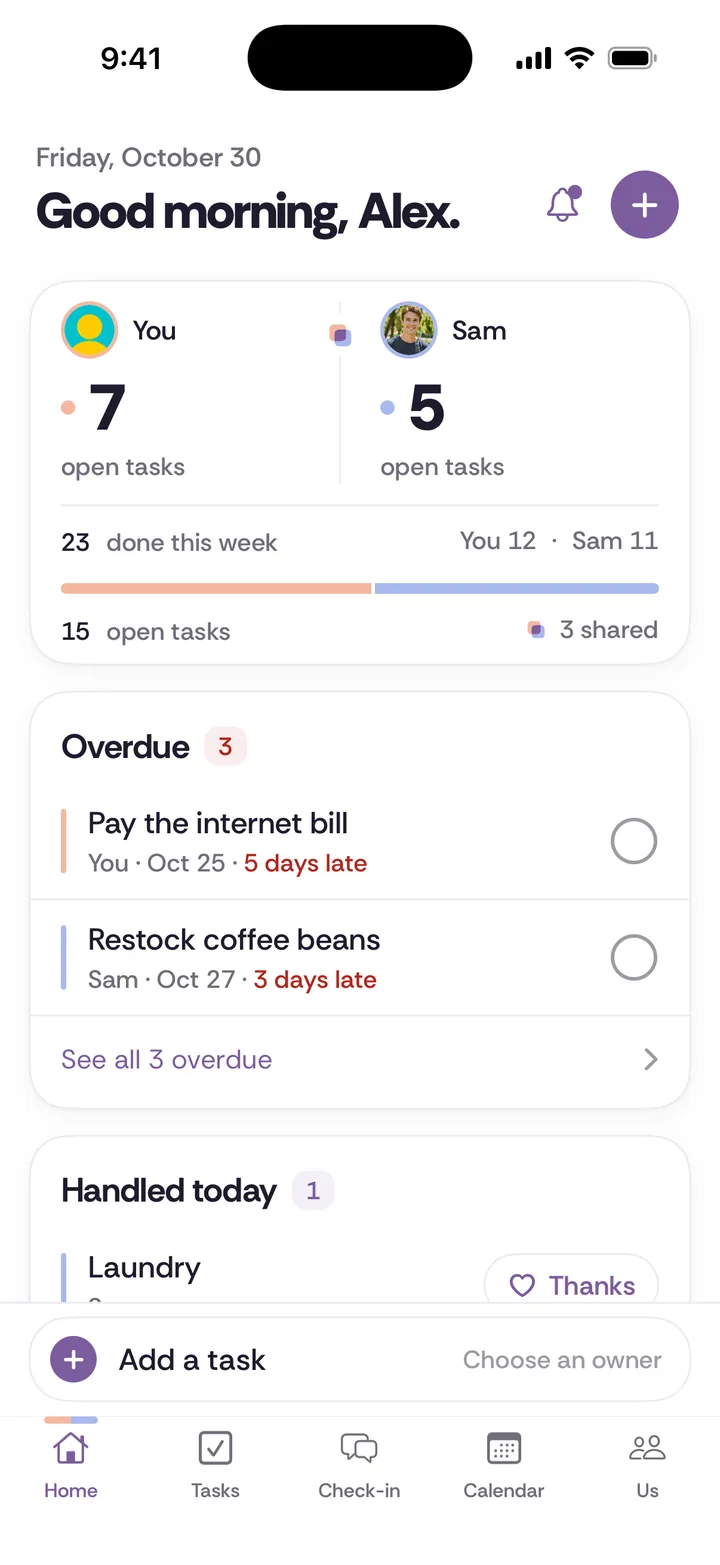
Tiptoe. Our app. Tasks, chores, lists, a calendar and a weekly check-in. The limit is a count. It's free for both partners with no card for the couple's first 30 tasks and chores combined, and deleted items still count. After that, adding more takes Pro at $9.99 a month, billed monthly, which covers both of you. Thirty items is enough to find out whether you will both use it, and not enough to run a household for long. It's on iPhone and web, with no Android app.
Splitwise. A way to split shared expenses. The free tier has a daily expense limit, and Pro removes it, along with ads. For two people adding a few expenses a day, the limit may not matter.
Between. A private chat for two with shared memories and a shared calendar. It's free with optional Plus features, and the listing says upgrading unlocks those features for both partners.
Paired. The free version has daily questions and tracks important dates. Guided journeys, games and quizzes are in paid Premium, and the listing doesn't say whether one subscription covers both of you.
Which apps look free but are not, for a couple?
Any.do. It's free for your own tasks, but Any.do's documentation lists sharing under Family or Teams, and Family is $8.33 a month billed yearly or $9.99 month to month. An Any.do blog post describes free shared lists, so check inside the app. Family is still fair value if you want it. See Any.do for couples.
What free setup would actually work?
Here are three combinations that cost nothing and cover most of what couples need.
Two iPhones. Apple Reminders for chores and groceries, a shared iCloud calendar for plans, and Gottman Card Decks for when you want to talk about something other than the bins.
Mixed phones. Microsoft To Do for tasks with an owner, Google Keep for groceries and a shared Google Calendar for plans. It's more apps, but each does one job.
No app at all. A paper calendar, a chore sheet from our free chore split worksheet, and a weekly talk. Our free tools also include the chore split calculator, which estimates weekly hours in your browser, a date night idea generator, and a library of check-in questions.
What would it cost if you outgrew the free plan?
Free is a good start, and it helps to know the next step. As of November 2026, using the prices on each company's pages:
- AnyList Complete, if groceries take over: $14.99 a year for a household.
- Cozi Gold: $39 a year.
- TimeTree Premium: $44.99 a year. Its Premium page doesn't say whether one payment covers both of you.
- FamilyWall Premium: $44.99 a year, for the whole family.
- Todoist Pro: $60 a year per account, so $120 if you both want it.
- Cupla Premium: from $4.99 a month, per couple.
- Any.do Family: about $100 a year on yearly billing, for up to four people.
- Tiptoe Pro: $9.99 a month, about $120 a year, for both of you.
If you are choosing between free options, you can ignore this list. It only matters once an app has earned a place.
How do you pick in five minutes?
Answer these in order, and stop at the first one that settles it.
Do you both have iPhones? If yes, start with Reminders and a shared iCloud calendar, since there is nothing to install.
Is one of you on Android? If so, rule out anything that depends on iCloud. Start with Microsoft To Do and Google Calendar.
Is your main problem groceries? Use Google Keep or the Reminders grocery list, and stop there.
Is your main problem plans? A shared calendar is the whole answer, at least for now.
Is your main problem that you feel distant? A to-do list won't help with that. Try Gottman Card Decks, or our free library of check-in questions. They are conversation prompts and not therapy, and if something feels unsafe, our safety page has support resources.
Is your main problem who does what? Read on, because the app is the smaller part of this.
What matters more than the app?
A free list won't help if only one person carries it. Every household job has four parts: notice, plan, do, and follow up. Most apps track only the third one. If one of you notices, plans and follows up on everything while the other works through a list, then the app has made the mental load tidier without moving it.
Use these three habits with any app, or none.
One name on each repeating job. The person named owns all four parts of it. That means whole-job ownership, not helping. Our guide to the four jobs in every chore has more.
Say what done means, once. "Bins are out by 8 on Thursday" saves weeks of disagreement over what "taking care of it" meant. And then leave it with the owner, even if they do it differently.
Look at it together once a week. Ten minutes is enough. Our weekly check-in page has a format that doesn't need any app.
How do you get your partner to try an app?
The hard part is rarely the price. Try being honest about why you want it.
"I don't want to manage you with an app. I just want to stop holding all of this in my head. Can we try something free for two weeks, with only a few things on it? You pick which ones are yours."
If you're the partner who isn't keen:
"I don't want another app to check. Can we try the simplest thing first, maybe a list on the fridge, and see if that's enough?"
Either of those can work. If it turns into a bigger conversation, try how to bring up something small. And for a wider comparison of task apps, see the shared to-do apps we compared or our overview of couples apps.