Disclosure: Tiptoe makes this page, and Tiptoe is one of the options below. Cupla is a good app, and for some couples nothing here will beat it.
The best Cupla alternative depends on why you are looking. If you want a free shared calendar with no limit on how far ahead you can see, use Google Calendar or Apple's iCloud calendars. If you want a dedicated calendar app, try TimeTree. If you want the whole family on it, look at Cozi or FamilyWall, and if your real issue is chores rather than scheduling, look at a task-first app such as Tiptoe or Any.do. These all work whether you are planning with a husband, wife, boyfriend or girlfriend.
All competitor facts below were checked on each company's own site or App Store page, as of November 2026. Prices can change, so check before you pay.
What does Cupla do well?
It helps to be clear about what you would give up. According to Cupla's own facts page, Cupla merges both partners' calendars into one view, color-codes events by person with a dedicated "Us" color, and syncs two ways with Google, Apple, Outlook and other calendars on the device. It also has shared to-dos with assignment to one partner, the other or both, priorities and repeating tasks, along with per-event privacy, a date planner, key date countdowns, wishlists and an AI assistant. The grocery list is included, and it runs on iPhone, Android and a web app in beta.
The two-way sync is the part that is hard to replace, since you can each keep your current calendar and still see one view.
Why do couples look for a Cupla alternative?
Going by Cupla's own help pages, there are a few reasons someone might look elsewhere.
- The free window. On the free plan, you can only see your partner's events and to-dos a limited way ahead, and you cannot see partner to-dos with no date. Your own items are not limited. The page says the Premium card in the app shows the window's exact length.
- Paying for something you could do for free. Premium is from $4.99 a month, and it is one subscription per couple. That is modest, but a couple who only want to see each other's calendars can do that for free elsewhere.
- The problem is not really scheduling. A couple whose arguments are about the dishes and the bills may need something built around chores and ownership more than a better calendar.
- More people are involved. Cupla is built for two. Families with kids and grandparents might want a family organizer.
If you just want a shared calendar for free
Google Calendar. The app is listed as free, it works on any phone, and you can share with five permission levels, from free/busy up to full control. You don't get a blended couple's view with an "Us" color, but a separate shared calendar gets you close. Choose this if you have mixed phones, or you already use Google.
Apple iCloud calendars. Free sharing is built into the Calendar app, and you can turn Allow Editing on or off for your partner. Both of you need an Apple Account using iCloud. Choose this if you both have iPhones and want nothing new to install. Our iPhone calendar guide has the steps.
What you lose with both is the date planner, the wishlists and the two-way merging of each person's existing calendars. Many couples never used those anyway, and that is worth being honest with yourself about.
If you want a dedicated shared calendar app
TimeTree. It is a calendar app built around sharing, and it lets you create several shared calendars for different groups and view them together. It has memos and to-do lists for plans with no fixed date. The free version shows ads. Premium is $4.49 a month or $44.99 a year and removes ads, among other things. It's on iPhone and Android, plus a web version. Choose this if you want a calendar first and also share with other groups, such as family or a club.
If the whole household needs it
Cozi. A family organizer with a color-coded calendar, shopping and to-do lists, recipes and meal planning. It is free, or Gold at $39 a year, or Max at $79 a year, on iPhone, Android and web. The family shares one account. Assigning a regular to-do list is mainly a color code and does not alert anyone, although Cozi Chores gives each person daily or weekly chores. Choose this if you have kids and meal planning is part of the problem. We have a separate page on Cozi alternatives.
FamilyWall. A calendar, shopping lists, task lists where you can assign to-dos to family members, messaging and a gallery, all listed as free features. Premium is $7.99 a month or $44.99 a year on the App Store, covers the whole family, and adds Google or Outlook sync and meal planning, among other things. Choose this if you want family messaging and free assigning.
If the real problem is tasks and chores
Any.do Family. A planner with a shared space. Family is $8.33 a month billed yearly or $9.99 month to month, for up to four members, with up to four shared boards or grocery lists and an Assign Member option. The free plan includes your Personal Space only. Choose this if you want personal planning and shared tasks in one app. We compare it directly in Tiptoe vs Any.do.
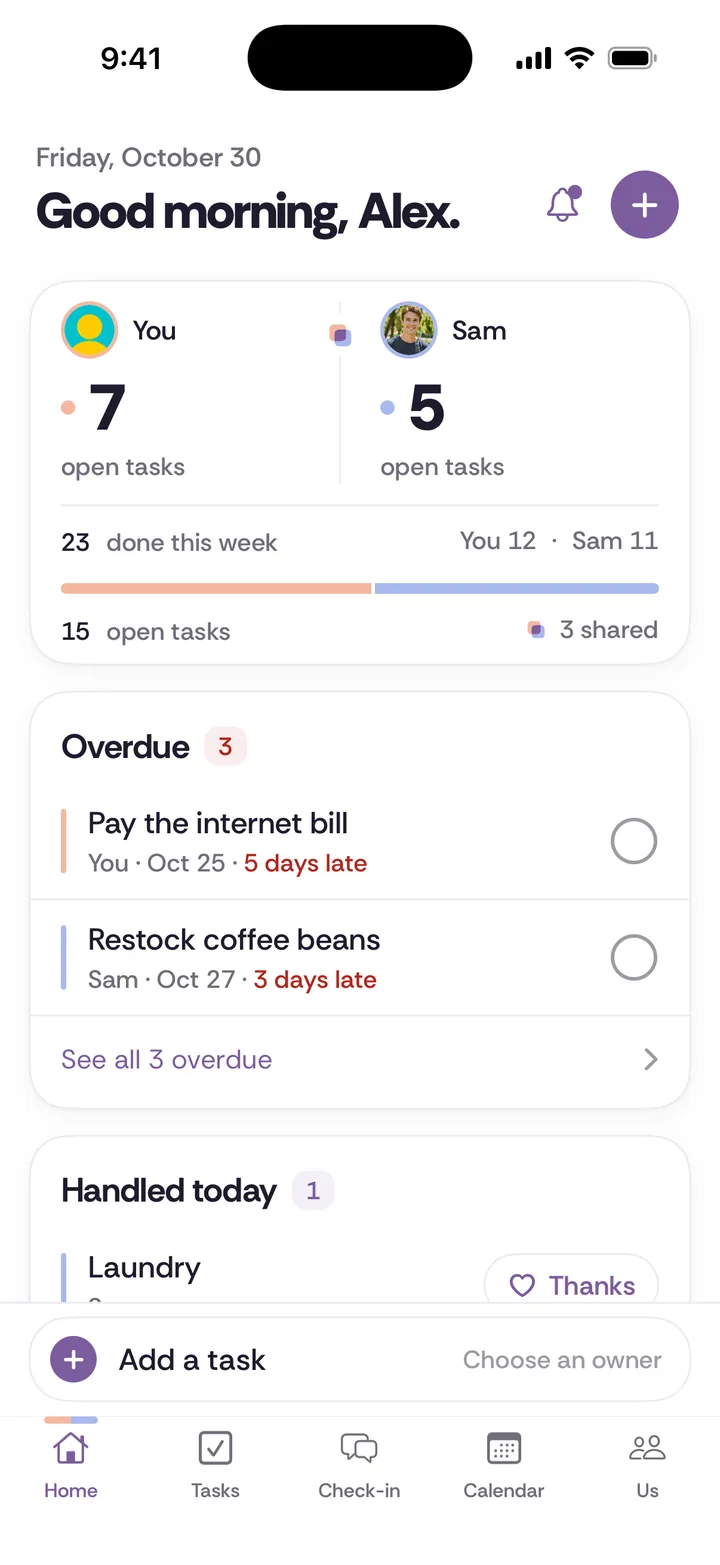
Tiptoe. Our app. Shared tasks and repeating chores with one owner, shared lists, a calendar with both partners' plans, and a weekly check-in. It is free for both partners for the couple's first 30 tasks and chores combined, with deleted items still counting, then Pro is $9.99 a month for both of you. It runs on iPhone and web, with no Android app. Cupla is stronger on two-way calendar sync, date planning and wishlists. Tiptoe is built around who owns the recurring work and a weekly talk about it. Choose it if you both use iPhone or web and chores are the main thing you are trying to sort out.
If you were using Cupla to feel closer
A calendar organizes your time, but some people are really looking for connection. Two apps are aimed more at that.
Paired. Free daily questions, with paid guided journeys, games and quizzes. The App Store lists a range of Premium prices, so check the current one in the app. Paired is about conversation rather than logistics, and it isn't a replacement for a calendar.
Between. A private chat for two, shared memories, and a shared calendar with countdowns. It is free with optional Plus features, which the listing says unlock for both partners, though the listing gives conflicting yearly prices. Choose it for a private space to message, more than for planning.
What does each option cost over a year for two?
As of November 2026, using the prices above, and noting that the cheapest plan for you may differ:
- Google Calendar or iCloud calendars: $0.
- TimeTree: $0 with ads, or $44.99 a year for Premium. Its Premium page doesn't say whether one payment covers both of you, so check that.
- Cozi: $0, or $39 a year for Gold.
- FamilyWall: $0, or $44.99 a year for Premium, covering the family.
- Cupla: $0, or from $4.99 a month, and the App Store listing shows yearly options including $34.99 and $44.99.
- Any.do Family: about $100 a year on yearly billing.
- Tiptoe: $0 for your first 30 tasks and chores, then $9.99 a month, or about $120 a year.
What should you check before you switch?
Before you move your calendars, take these three steps.
Step 1. Say what you actually want to change. If it's "I never know what's happening this week," a free shared calendar and a Sunday talk may be enough. If it's "I'm tired of being the one who remembers," look at the mental load first, as a new calendar won't shift that on its own.
Step 2. Test it with one week of real plans. Don't import everything on day one. Add next week's events by hand, and see whether you both actually open it.
Step 3. Decide who owns what. Every household job has four parts: notice, plan, do, and follow up. Any calendar can show the appointment, but none of them decide who noticed it was needed, booked it and checked it happened. Agree that one person owns each area, like school or medical, and adds its events. Our couples calendar page and the guide to the four jobs in every chore go into this further.
What might this look like in your house?
You each keep a work calendar you can't move. This is where Cupla's two-way sync helps most. With Google, a free/busy share from each work calendar, where your employer allows it, plus one shared calendar can get you much of the way there.
One of you has an Android phone and the other an iPhone. Skip anything that depends on Apple's iCloud. Google Calendar plus Google Keep is a simple free pair, and Cupla itself also supports both phones.
You have stopped missing plans, but you still argue about the house. The calendar is working, so don't replace it. Add a chore list next to it, whether that is an app or a worksheet on the fridge.
How do you bring it up with your partner?
If your partner likes Cupla, or doesn't care either way, keep it specific.
"The thing I actually want is to stop finding out about plans at the last minute. I don't mind which app. Can we try one for two weeks and see if it fixes that?"
If you're the one being asked to switch:
"I'll try it. What's the thing you're hoping changes, so we can tell if it worked?"
Both of those keep the conversation about the arrangement, so it doesn't become a contest between apps. If the conversation is harder than it should be, see our guide on bringing up something small.
Which Cupla alternative should you choose?
- Free, any phones: Google Calendar, with Google Keep for a shared list.
- Free, two iPhones: iCloud calendars and shared Apple Reminders.
- A dedicated calendar app: TimeTree.
- Family with children: Cozi or FamilyWall.
- Planner and shared tasks: Any.do Family.
- Chores and a weekly check-in, on iPhone or web: Tiptoe.
- You want two-way sync, a date planner and wishlists: stay with Cupla.
You can also do this without any app. A paper calendar on the fridge, a chore sheet from our free chore split worksheet, and ten minutes on Sunday can do most of what a couple needs. For more comparisons, see the shared to-do apps we compared.